 Arduino
Beginner
Arduino
Beginner
Temperature Monitoring with DHT22
Published on Jan 02, 2026
Arduino
Beginner
Published on Jan 02, 2026
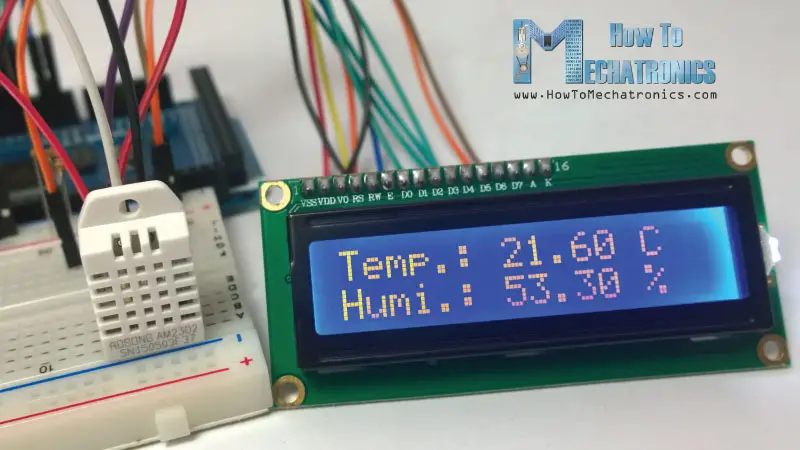
The DHT22 sensor is a reliable digital sensor used to measure temperature and humidity with good accuracy and stability. In this tutorial, you will learn how to read temperature and humidity data from the DHT22 sensor using an Arduino Uno and display the values via the Serial Monitor. This project is suitable for environmental monitoring, automation, and academic prototypes.
Arduino Uno
DHT22 Temperature & Humidity Sensor
10kΩ Resistor (pull-up resistor)
LCD Display (optional)
Jumper Wires
Breadboard
The DHT22 communicates with the Arduino using a single digital data pin. When the Arduino sends a request signal, the sensor responds with calibrated digital data representing temperature and humidity values. The Arduino then processes these values and displays them on the Serial Monitor or other output devices.
To use the DHT22 sensor, install the required library:
Open the Arduino IDE
Go to Sketch > Include Library > Manage Libraries
Search for "DHT sensor library" by Adafruit
Click Install
Connect VCC of the DHT22 to 5V on the Arduino
Connect GND to GND
Connect the DATA pin to Digital Pin 2 on the Arduino
Place a 10kΩ pull-up resistor between VCC and DATA pin
#include <DHT.h>

#define DHTPIN 2        // Pin connected to DHT22 data pin
#define DHTTYPE DHT22   // Define sensor type

DHT dht(DHTPIN, DHTTYPE);

void setup() {
  Serial.begin(9600);
  dht.begin();
}

void loop() {
  float temperature = dht.readTemperature(); // Read temperature in Celsius

  if (isnan(temperature)) {
    Serial.println("Failed to read from DHT sensor!");
    return;
  }

  Serial.print("Temperature: ");
  Serial.print(temperature);
  Serial.println(" °C");

  delay(2000);
}
Learn the basics of Arduino programming and build your first LED blink project.
Read TutorialBuild a distance measuring system using HC-SR04 ultrasonic sensor with Arduino. Learn about sensors and data processing.
Read Tutorial